Here you will find many different HTML elements and techniques, explained and shown in use!
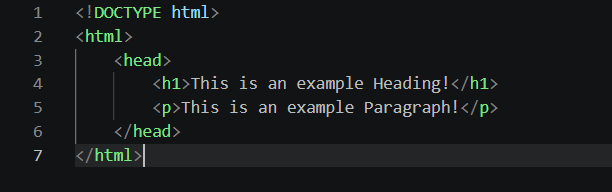
HTML stands for HyperText Markup Language. It is the standard language for creating web pages and websites.
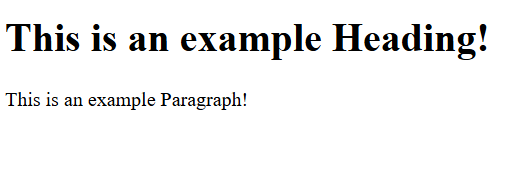
Each HTML element is defined by tags, tags in which are enclosed in angle brackets. For example: <h1> <p> <h2>
↓
CSS stands for Cascading Style Sheets. It is used to describe the presentation of a document written in HTML, or in other words it makes pages look nice, such as changing colours, fonts, adding rounded borders, etc.
CSS can be added to HTML elements in three ways: inline styles, internal style sheets, and external style sheets.
Im going over the basics so all you need to know is how to use them in the easiest way, and the way i prefer... External style sheets!
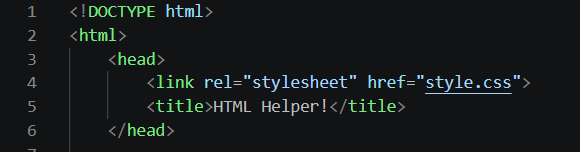
External style sheets are easy and simple to use. You create a style.css file in the same folder as your index, then at the top of the index, anywhere before the text (preferably in the Head section) link to the CSS file via the code <link rel="stylesheet" href="style.css">.
↓
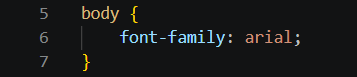
Now that you have a stylesheet, and a basic index file, you can start playing with styling! try something simple such as changing the Body FONT, everything in the body will be changed by the body css portion.
↓